How do SOC360 analysts detect and investigate phishing attacks using Microsoft Defender?
Phishing remains the most effective method of gaining initial access and accounts for the vast majority of real security incidents observed among SOC360 clients. Attacks include both mass phishing and highly targeted spear phishing, increasingly supported by automation, ready-made frameworks, and AI—making detection significantly harder. Effective defense does not end with email filters: what matters most are multi-channel reporting, contextual analysis (emails, links, attachments, QR codes), event correlation, and fast SOC response using tools such as Microsoft Defender. Without the combination of technology, experienced analysts, and aware users, phishing will continue to be one of the main entry points into organizations.
One of the most popular and most effective attack methods used by criminals to gain initial access is phishing. According to a ReliaQuest cyber threat report for 2023, attackers used phishing techniques in 71% of all cybersecurity incidents. Phishing aims to trick people into disclosing confidential information such as usernames, passwords, credit card numbers, or other personal data. It typically involves sending fake emails, messages, or links to websites that appear to come from legitimate sources but are actually controlled by attackers.
In the article below, we present the prevalence of phishing among our clients and show how the SOC360 team detects, analyzes, and responds to these incidents using Microsoft Defender.
Types of phishing
Phishing can be divided into two main categories:
Untargeted Phishing: In untargeted phishing, attackers send generic messages to victims, pretending to come from reputable organizations such as banks, social media platforms, or government agencies. These messages often include urgent requests for action, such as clicking a link to verify an account or providing personal details to resolve an alleged problem. Links in such emails typically lead to fake websites designed to steal login credentials or install malware on the victim’s device.
Spear Phishing: Spear phishing is a targeted form of cyberattack in which attackers carefully tailor fake messages to specific individuals or organizations. To make them more convincing, attackers often gather information about their targets from various online sources such as social media profiles, company websites, or previous data breaches. This allows them to personalize messages with discovered details, making emails appear authentic.
The prevalence of phishing among our clients
The total number of incidents from Microsoft Defender for CloudApp and the percentage of phishing attacks in Q1 2024, based on clients supported by the SOC360 team.
Client A
- 252 CloudApp incidents
- 33% – Untargeted Phishing
- 3% – Spear Phishing
Client B
- 108 CloudApp incidents
- 15% – Untargeted Phishing
- 2% – Spear Phishing
Client C
- 173 CloudApp incidents
- 9% – Untargeted Phishing
- 3% – Spear Phishing
In addition, we received 67 incidents reported manually by the clients above.
In total, in Q1 2024, 83% of attacks came from untargeted phishing and 10% from spear phishing.
Phishing examples
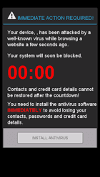
- A pop-up ad claiming an infection or an urgent update is required

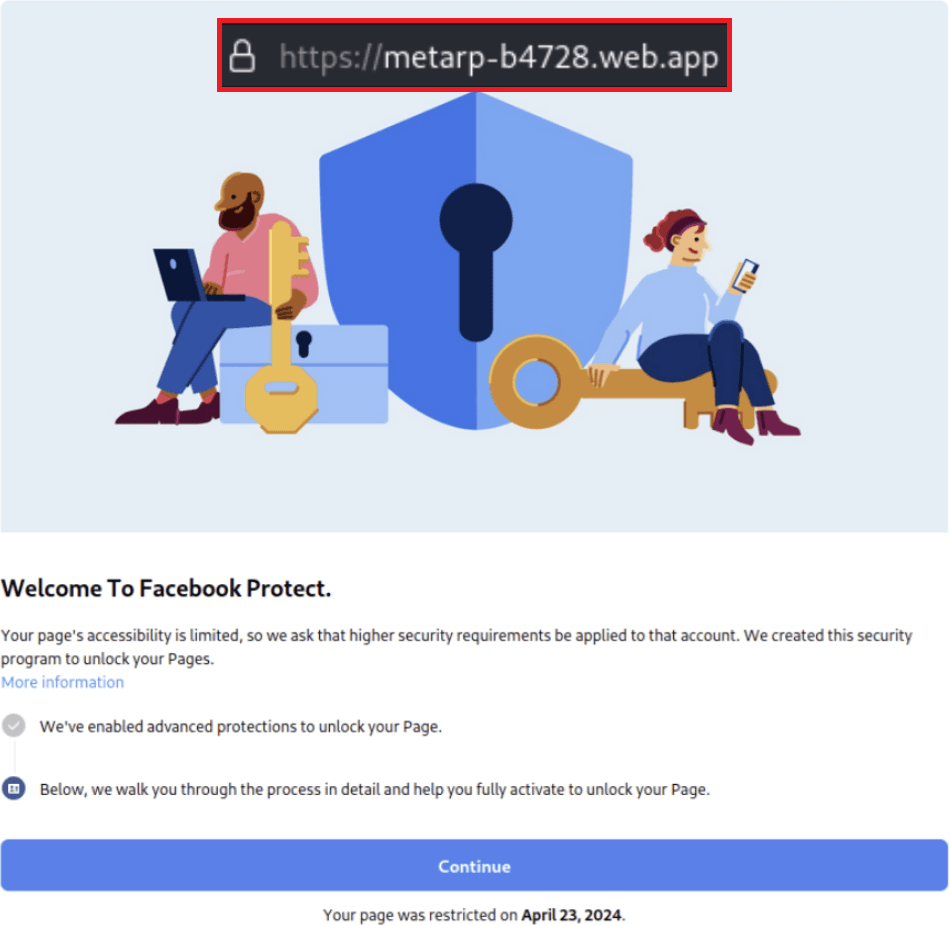
- Impersonation of a well-known service or platform

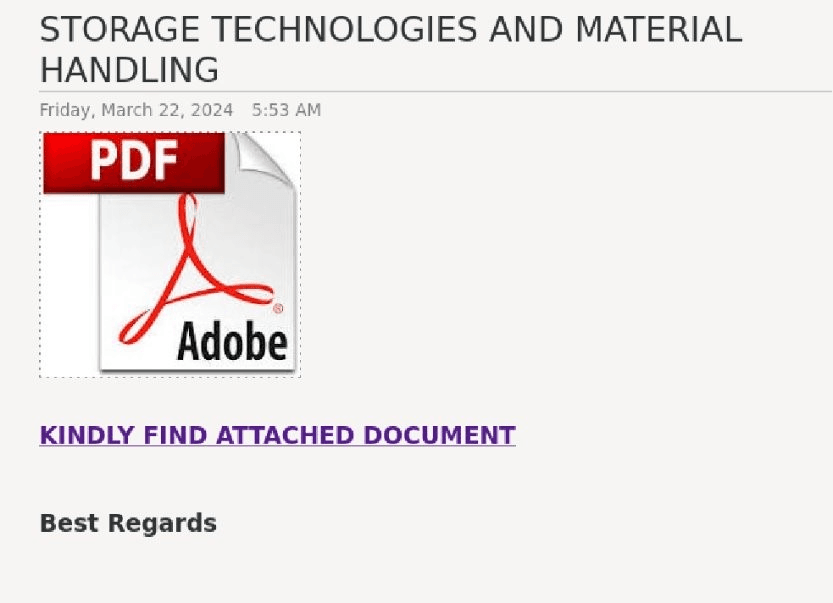
- Sending a file for download
Clicking the link leads to downloading a malicious file or being redirected to a site impersonating a cloud file-sharing service, where the user must enter their credentials to download the file.

- Spear phishing
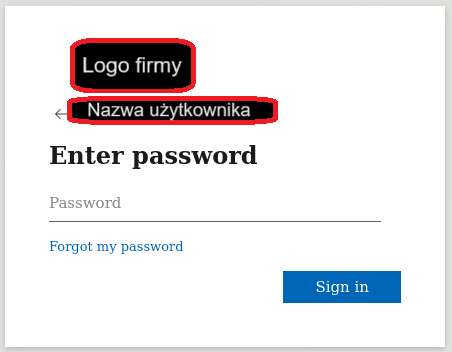
It is worth noting that both on the Darknet and on the Internet there are widely available automated tools that help attackers prepare a login page so that it looks like the real page of a given organization. Such frameworks work “live” and can load the actual Microsoft login branding for a specific organization after the user provides only an email address—just like in a real login process. Email content is also becoming increasingly tailored to a specific organization—advanced language translators and artificial intelligence help a lot here, as they perform very well in such straightforward tasks.
Reporting and detection channels
As the SOC360 team, we receive phishing reports through several communication channels.
A suspicious email can be manually flagged or forwarded to us by a user. This usually happens as a forward (FW), sending the email as an attachment, or submitting a report through a reporting feature in the email client.


A report can also be generated automatically by security systems, based on multiple parameters such as: the sender domain reputation, a suspicious attachment or link, discrepancies between the real sender and the displayed sender, or an actual click on an unusual link by a user.


Event analysis in Microsoft Defender
Despite the many patterns attackers use, trained cybersecurity specialists can classify threats based on the information provided by the right tools. At 4Prime, we often use Microsoft Defender, which offers comprehensive protection for, among other things, endpoints, SaaS applications, PaaS, Office365 applications, hybrid identity, and cloud infrastructure. These tools enable detection, prevention, and response to threats. Both our SOC analysts and our clients value Defender for providing rich and readable data that allows thorough investigation and additional context.
When an SOC360 analyst handles an event, they have access to a wide range of information collected by Microsoft Defender about each outgoing or incoming email in the organization, for example:
- the timeline of events related to the email,
- message details such as: the reporting reason, source verdict, recipient information, and message headers,
- attachments,
- links,
- QR codes,
- similar emails,
- user interactions with the suspicious email.
Based on this data, the analyst can perform a thorough and comprehensive event analysis. Below we discuss some of these areas.
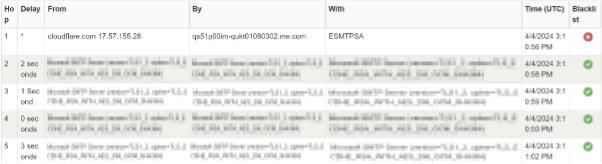
Email header analysis
Email header analysis allows us to identify the true source of an email with high accuracy and with much more detail than if we relied only on information provided by the system or the email client.
At this stage, we can determine whether an email has been spoofed. Spoofing is a technique used by cybercriminals to forge the sender’s email address in the message header so that it appears to come from a legitimate or familiar source.
Attachment analysis
Attachment analysis allows us to precisely identify files and interpret their purpose. At this stage, we have access to file checksums (hashes) collected by the system and the option to download files for static or dynamic analysis in an isolated, safe environment.
A file checksum enables a fast initial assessment by comparing the hash against public databases of files analyzed in the past.
If the checksum is not recognized by available sources, we can download the attachments. We then detonate the downloaded file in an isolated laboratory environment and analyze every aspect of its activity, including:
- network connections,
- suspicious login panels,
- created files,
- executed scripts,
- and much more.
Link analysis
Many emails do not contain malicious files, but instead lead to dangerous login pages. By analyzing links contained in an email, we can determine whether they are safe. This process includes examining URL structure, domain reputation, URL content, and redirects after clicking to assess legitimacy.
At this stage, we open the link in a monitored laboratory environment and analyze aspects such as:
- domain reputation,
- technical content—looking for, among other things, suspicious background scripts,
- contextual content—to detect cases where the page looks like a Microsoft or Facebook login page but is not hosted in domains belonging to those services,
- redirects—to verify whether the displayed content actually comes from the claimed source and whether other potentially malicious addresses are visited before the final content is shown,
- transmitted packets—to check whether the visited page causes the user’s device to send information about itself or the network it is on, or to share cookies containing active user sessions or passwords.
Fake PDF files
Because modern security systems are increasingly capable of handling simple attack methods and clearly malicious links known to Cyber Threat Intelligence sources, phishing is more and more often conducted without a suspicious (at first glance) attachment or link. Instead, attackers use a PDF imitating an offer, contract, etc. After opening the file, the user is shown a message that they must log in to view the content. Such a file can often remain marked as safe by antivirus engines (after all, it does not execute any malicious activity on the host), but clicking through may end with a dangerous data leak. In such cases, phishing detection can be much harder and may require additional tools.
QR codes
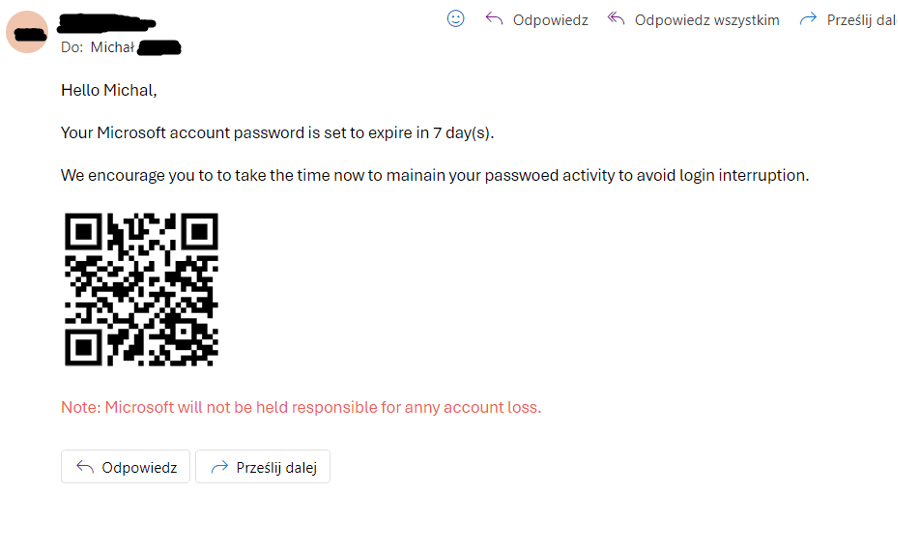
QR codes are currently one of the most common ways attackers deliver a malicious link. Sending such a code under the pretext of requiring a password change or another typical action encourages victims to use their own phone. In many organizations, phones are still not protected, or employees use private devices, which prevents effective monitoring and mitigation. What’s more, if credentials are entered on such a phone, we lose visibility into, among other things, who clicked the link and when.
Consequences of falling for a phishing scam
A successful phishing attack against an employee can lead to identity theft or unauthorized access to accounts within the organization, which in turn can disrupt operations and harm the company’s reputation. Attackers may gain access to corporate networks, steal intellectual property, or deploy malware, resulting in data loss or—in the worst case—data encryption to extort a ransom.
In summary, the aftermath of a successful phishing attack can be long-lasting and painful across many dimensions. It includes financial, reputational, and operational repercussions for the entire organization. Reducing this risk requires combining user education, the involvement of experienced cybersecurity specialists, appropriate tools and controls, and proactive detection and response strategies.
The SOC360 team monitors cybersecurity systems 24/7, analyzes events, detects and responds to incidents so that organizations can safely carry out their missions. Our clients include the largest Polish commercial companies from various sectors of the economy. We secure distributed environments across 10 countries in Europe and Asia. We work with EDR/XDR, NDR, and SIEM systems from over a dozen vendors. We monitor cloud environments.
This article was prepared by a 4Prime expert and subsequently edited with the support of artificial intelligence tools.
Text autor:
Read more


Strategy
Your Company Has Been Attacked by a Ransomware Group – What Now? An Action Plan


EDR
◦SOC
Microsoft Defender from the perspective of a SOC360 engineer: what does an implementation look like?

Threat Intelligence